Presets and advanced settings
Start from Standard, Hyped, Initials out at 2x or Ladder, and set every limit yourself.
Presets are ready-made settings: pick one under Start from and press Start. Advanced holds every limit and every detail, for when you want to set them yourself. Most strategies need neither: the defaults are chosen to sell without moving the price much.
Presets
| Preset | Kind | What it does |
|---|---|---|
| Standard | Auto Sell Into Buys | Sells 25% of every outside buy. New Counter Trade sells open on it. |
| Hyped | Auto Sell Into Buys | Sells 40% of every outside buy (35 to 45% at random), for a token with strong demand. |
| Initials out at 2x | Auto Sell Into Buys | From twice your entry, sells 50% of each buy until you have your SOL back, then 10%. You keep a bag. |
| Ladder | Limit Sell | Sells 20% each at 2x, 3x, 5x and 10x your entry. |
Initials out at 2x and Ladder are worked out from your entry, the average market cap your wallets bought at. Change any value after picking a preset and its name shows ", edited", for example "Standard, edited".
Advanced
Press Advanced at the bottom of the form. Its line shows what is set, for example "stops after 24 h · slippage 5%". Press Done to go back.
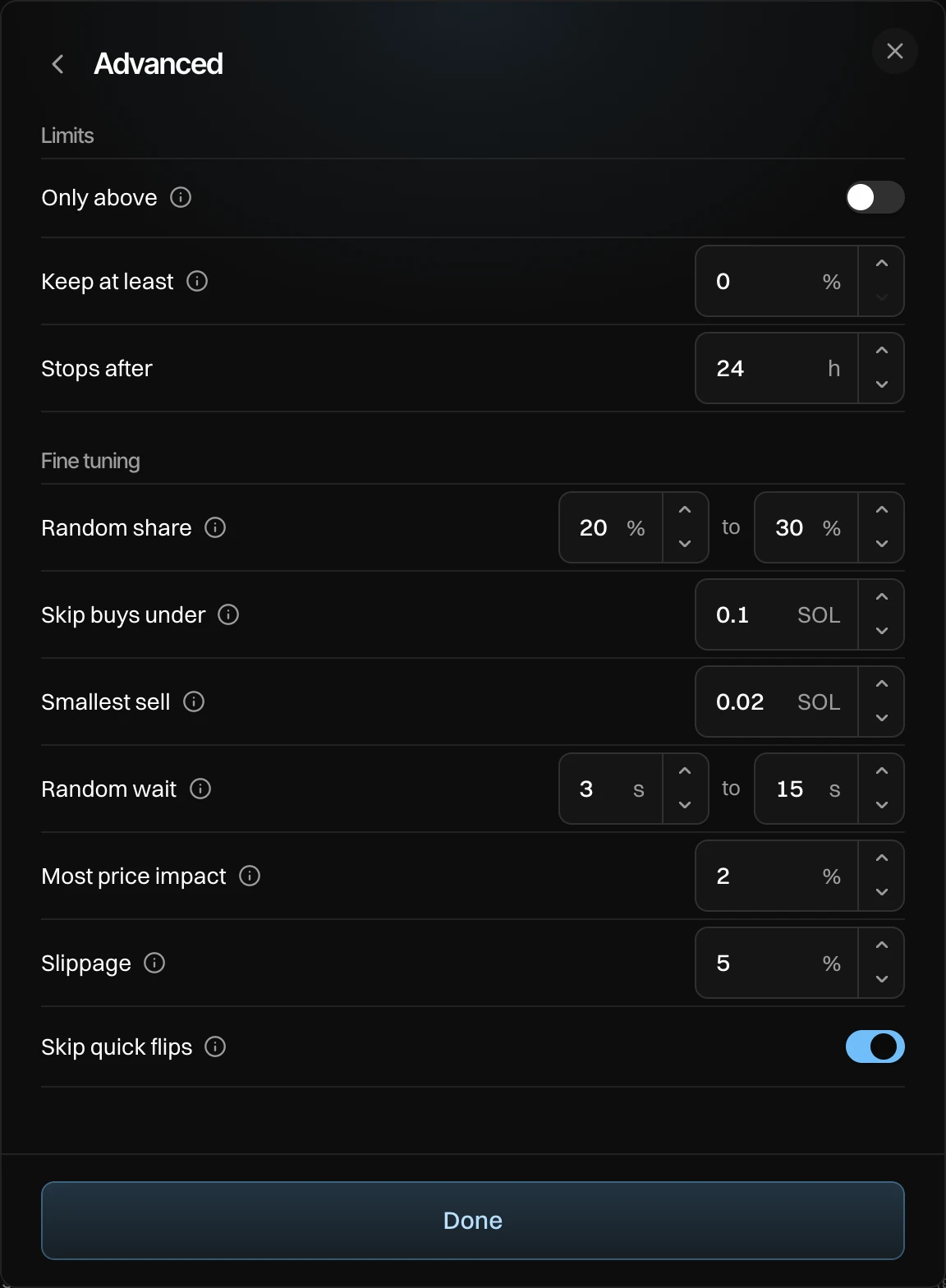
Limits
| Setting | What it does | Shows on |
|---|---|---|
| Only above | Waits while the market cap is lower. | Sells (not Limit Sell) |
| Only below | Waits while the market cap is higher. | Buys (not Limit Buy) |
| Keep at least | A share of your tokens it never sells, 0 to 99%. | Auto Sell Into Buys |
| Stop loss | Sells everything left below this market cap. | Limit Sell |
| Stops after | When it ends, 0.1 to 168 hours. | Counter Trade and Limit Order |
Fine tuning
| Setting | What it does | Range |
|---|---|---|
| Random share | A new share each trade, so it doesn't look like a bot. | 1 to 100% |
| Skip buys under / sells under | Tiny trades are mostly bots. | 0 SOL and up |
| Smallest sell / buy | Smaller amounts wait and add up, so fees stay low. | 0.001 SOL and up |
| Slice every | DCA: random, so the slices don't form a pattern. | 0.05 to 120 min |
| Random wait | Counter Trade and Limit Order: random, so it doesn't look like a bot. | 0 to 600 s |
| Most price impact | Bigger trades are split. | 0.1 to 10% |
| Slippage | Lower leaves less for sandwich bots. | 1 to 50% |
| Stop loss slippage | Wider, so the stop fills. | 1 to 50% |
| Skip quick flips | Skips traders who already traded back. | On or off |
The defaults per kind are on Counter Trade, DCA and Limit Order.
Wallets
Under Wallets, turn roles on or off: Dev, Bundle and Holders, each with how many wallets it has. The line on the right shows how many wallets and how much they hold. Press it to pick wallets one by one, then press Done · 30 wallets.
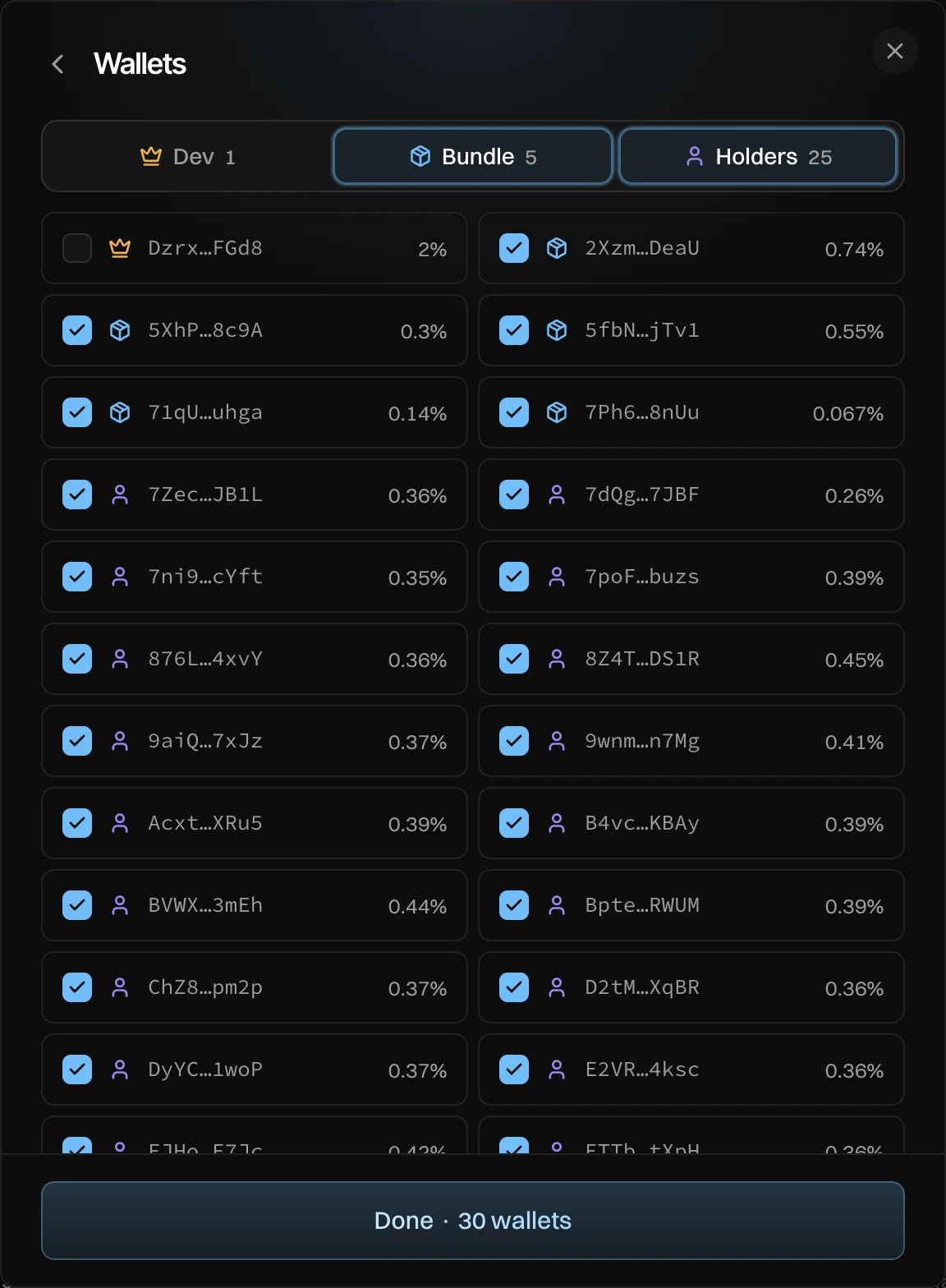
- A sell lists only wallets holding the token. A buy lists only wallets with SOL. The rest are counted under the list.
- Dev is off by default for sells: trading terminals flag every dev sell.
- A buy takes turns across the wallets you pick.