Launch
The summary
Check the market cap, the timeline, the SOL needed and the Max loss before you launch.
The summary sits on the right of Launch settings (below it on smaller screens). It updates as you change anything, so you see what a plan costs and what you end with before anything is sent.
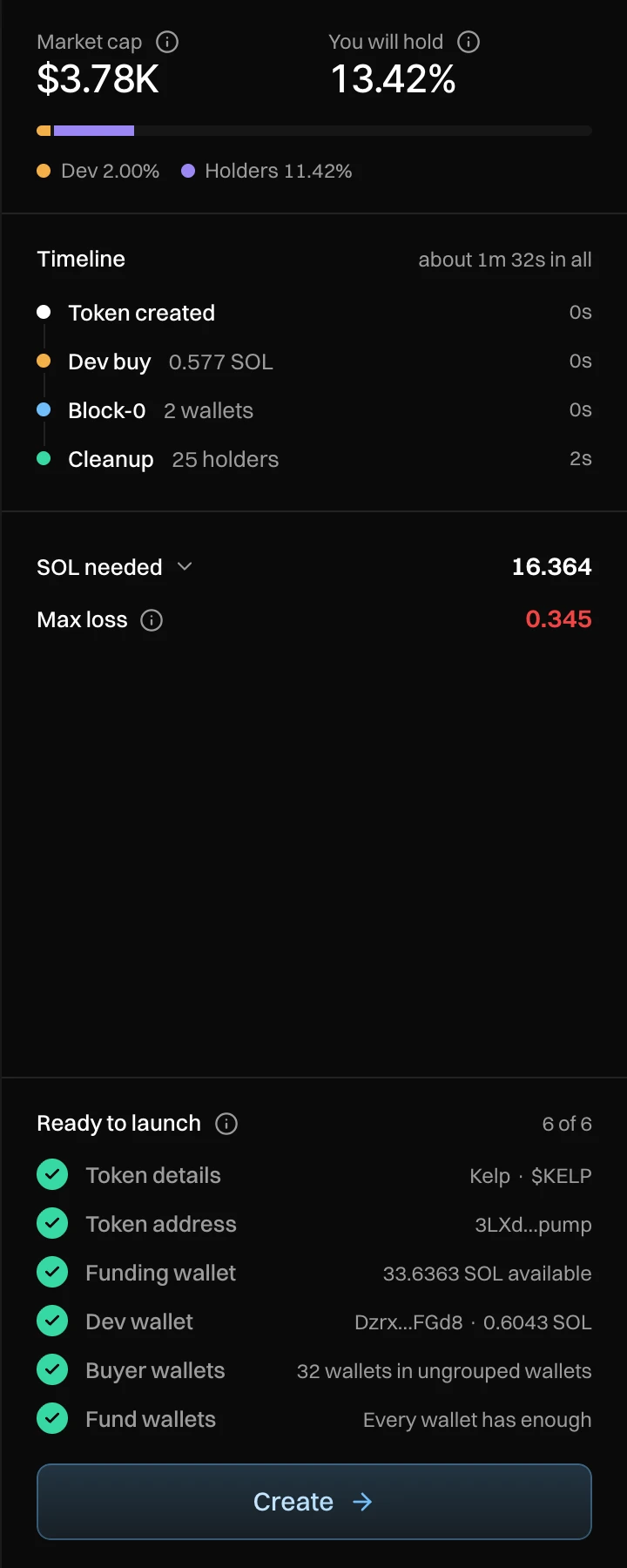
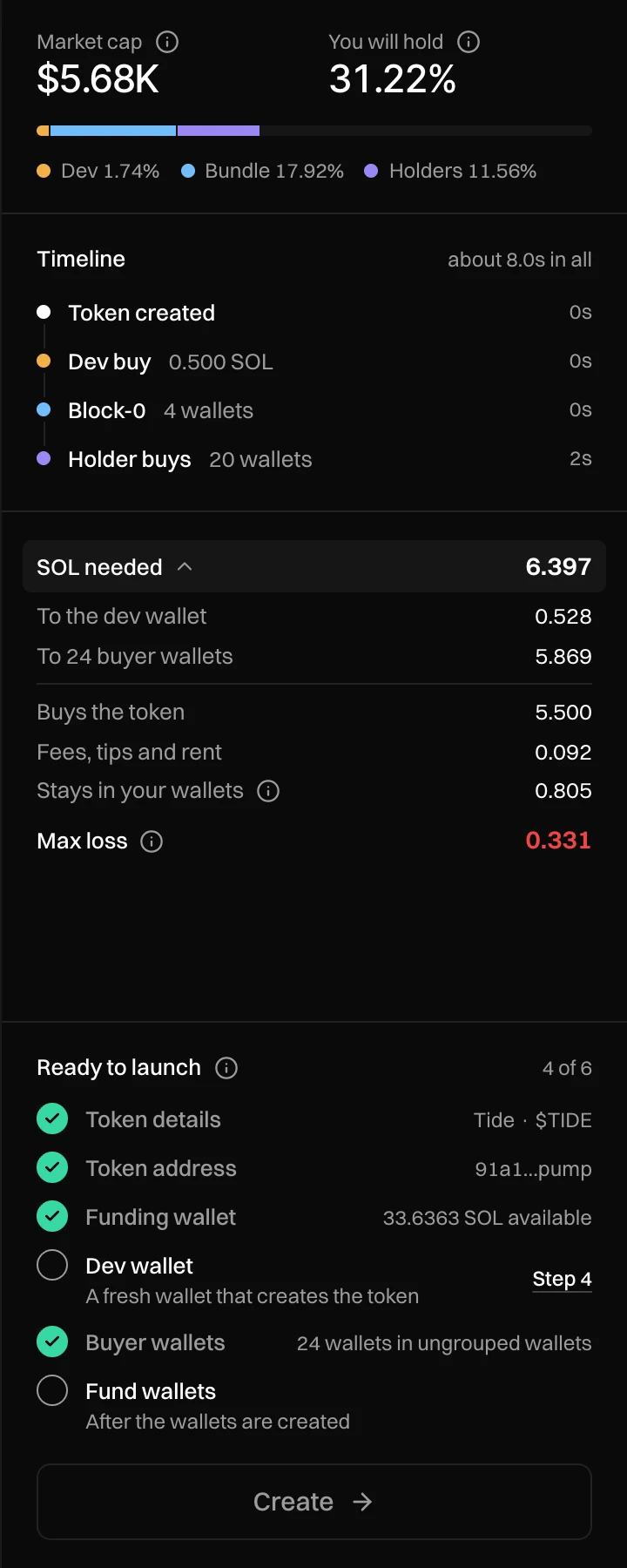
What it shows
| Part | What it means |
|---|---|
| Market cap | Your token's market cap after all your buys, if nobody else buys first. |
| You will hold | Your share of supply after all buys and Cleanup. The bar splits it into dev, bundle and holders. |
| Timeline | Each moment of the launch in order: token created, dev buy, Block-0, more bundles, holder buys, Cleanup and your After launch plan, with how long it all takes. |
| SOL needed | Everything the launch costs. Press it to see the parts: to the dev wallet, to the buyer wallets, what buys the token, fees, tips and rent, the exchanges' fee (stealth funding), and what stays in your wallets for selling (it comes back when you withdraw). |
| Max loss | What you would lose if every wallet sold everything right after your buys and Cleanup, before anyone else trades. |
Ready to launch
Six checks, each with a link to fix it: Token details, Token address, Funding wallet, Dev wallet, Buyer wallets and Fund wallets. When all six are done, press Create. It opens the launch view; nothing is sent until you press Launch there. On a phone, "n of 6 ready" and Create sit in a bar at the bottom.
An example
Kelp uses the Block-0 style: a 2% dev buy and 12% in two Block-0 wallets, then Cleanup over 25 holders.
- SOL needed is 16.364: 4.558 buys the token, 0.115 pays fees, tips and rent, and 11.691 stays in the wallets. Most of that is the SOL Cleanup's wallets need while it runs, which they get back.
- Max loss is 0.345 SOL: selling everything at once right after launch would bring back 0.345 SOL less than it cost.