Join a group
You got a group link. Here is how to join, pay in, and get your share back.
In a group launch, friends put SOL into one pool. When the token is created, the pool buys in the same block, Block-0, before anyone else can buy. Nobody buys ahead of the group, the dev included. When the group sells, each member's part is paid straight to their own wallet.
You don't need a Newport account to join. Everything happens on the group's page, the link you were sent.
Before you start
- A Solana wallet you own, for example Phantom. Your refund and your payouts go to this wallet.
- SOL to put in, in that wallet or on an exchange.
Read the plan
Open the link. At the top you see the token, how many members are in, how much SOL counts so far, and how long the raise has left. The plan below shows the group's rules. Hold the pointer over the ⓘ next to any of them to read more.
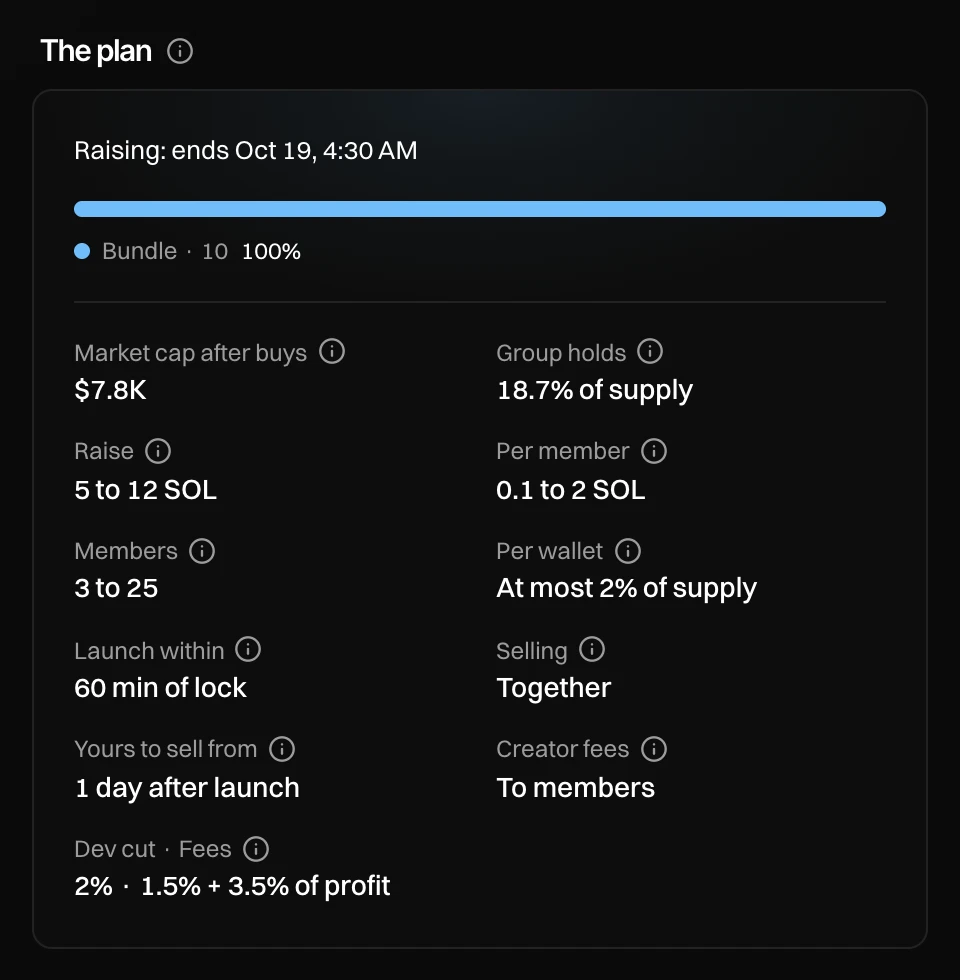
- Raise: the least the pool needs and the most it takes.
- Per member: the least and the most of your deposit that counts.
- Members: how many people the group needs, and how many it takes.
- Selling: Together (the dev sells for everyone) or Each their own.
- Creator fees: who earns the token's creator fees, members or every holder.
- Dev cut · Fees: what the dev takes from your profit, and the fees on each sell.
Join with your return address
Under Join the Block-0 buy, type a name the dev will see. Then paste your Solana address. This is your return address: your refund and your payouts go there, and only there.
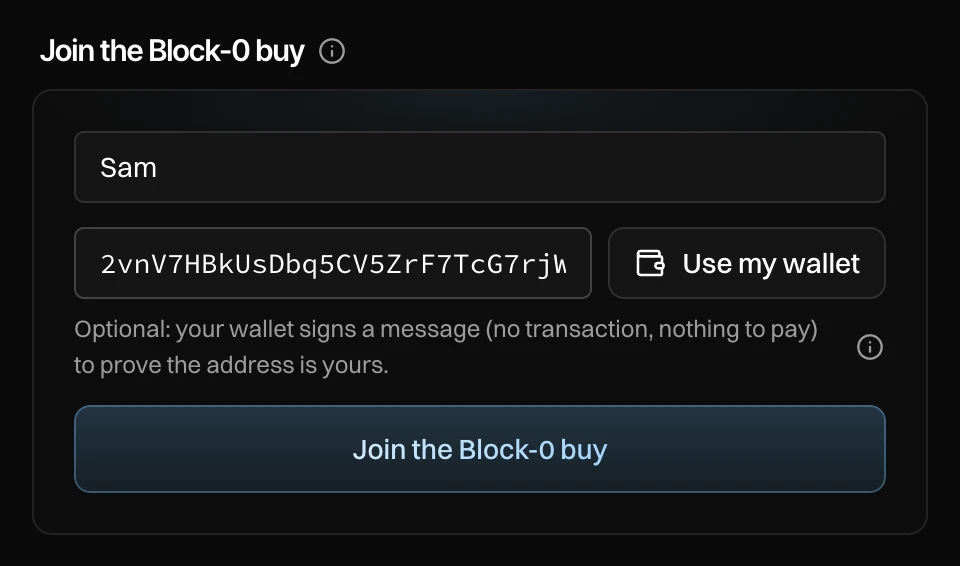
- Your name, shown to the dev.
- Your return address.
- Use my wallet (optional): your wallet app signs a message to prove the address is yours. It is not a transaction and costs nothing. Some groups take verified wallets only; then this is needed.
- Press Join the Block-0 buy.
Your return address cannot be changed later. Use a wallet you own, never an exchange deposit address.
Send your deposit
You now have your own deposit address under Your deposit. Send SOL to it on the Solana network, from any wallet or exchange. You can also enter an amount and press Send from my wallet.
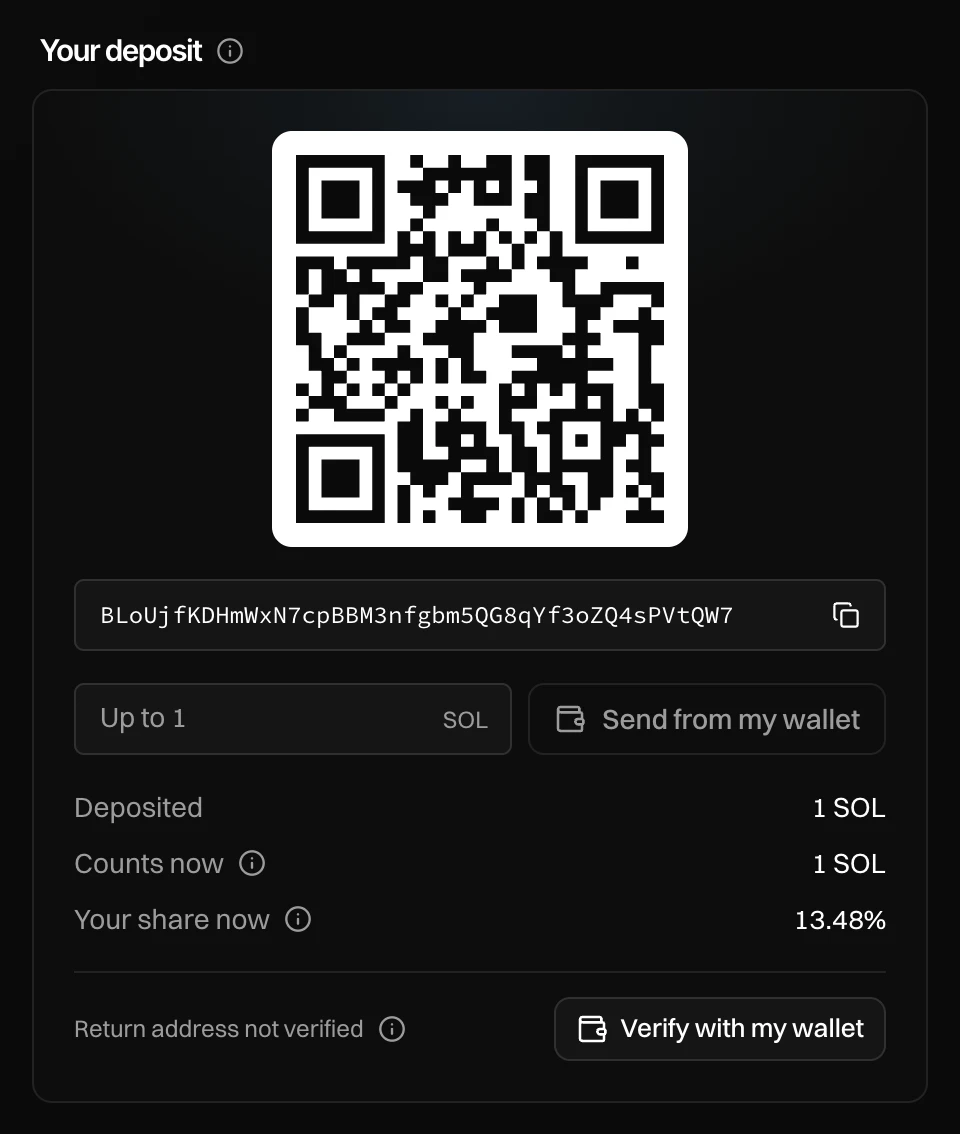
- Your deposit address. It is yours alone.
- Deposited: what has arrived.
- Counts now: what of it counts toward the pool.
- Your share now: your part of the group. It is fixed when the group locks.
Save your private link
Under Your private link is a link to your share. Copy it and keep it. It opens your share on any device.
Keep it to yourself: anyone with it can see your share and sell it. Your money still only goes to your return address.
What counts
Deposits count first come, in the order they arrive.
- A deposit under the least per member does not count, and goes back when the group locks.
- Above the most per member, only the most counts. The rest goes back.
- Once the raise is full, new deposits do not count and go back.
- Moving your deposit into the pool costs a network fee of 0.0000054 SOL, taken from it.
- You count as a member once your deposit counts.
Change your mind
Until the group locks, you can send more to your deposit address, or press Leave and take my deposit back. Press it again to confirm: the button names the amount and your return address.
In the last 5 minutes of the raise, nobody can take a deposit back. That way nobody can make a raise look full and then leave.
When the group locks
The group locks when the raise ends, when it is full, or earlier when the dev locks it once the minimum is in. Then the dev has a set time to launch, shown as Launch within.
Everybody gets their SOL back automatically, to their return address, if:
- the pool has less than the minimum when the raise ends,
- fewer people than the group needs have joined,
- the dev does not launch in time, or
- the dev cancels the group.
After the launch
Open your private link to follow the group. You see the chart, every trade of the group's wallets, and under Your share: what you put in, your share, what it is worth now, your profit, and what has been paid to you.
- Together: the dev sells for the whole group. Each sell is paid out by share, straight to your return address. From the time shown under Yours to sell from, you can also sell your own share.
- Each their own: you sell your own share when you like.
To sell, open Sell your share, pick a share or enter your own, and press again to confirm. What it brings in goes to your return address right after, less the dev's cut of your profit. The dev takes nothing on a loss.
If creator fees go to members, your part is paid to your return address with every payout, and once a day after that.
Lost your private link?
If your wallet signed for your return address, press get a new one with your wallet on the group's page. You get a new private link, and the old one stops working.
If it did not sign, your private link is the only way back to your share. Press Verify with my wallet under your deposit any time to add this safety net.
Messages you can see
| Message | What to do |
|---|---|
| This group link is not valid | Check the link with the person who sent it. |
| This Block-0 buy is full | The group takes no more members. Members who are in open it with their private link. |
| This group is closed | The raise is over. Members open it with their private link. |
| Open your private link first | Open the page with your private link, not the group's link. |
| No Solana wallet in this browser | Paste your address instead, or open the page in your wallet app. |
| The raise is full. Anything you send now does not count | Don't send more. What you sent goes back to your return address when the group locks. |
| The raise ends in under 5 minutes | Deposits stay until the raise is decided. |