Launch
Launch day
What happens when you press Launch, and what to do if a launch stops.
Pressing Create in Launch settings opens the launch view: your plan once more, with a big Launch button where the chart will be. Nothing has been spent yet.
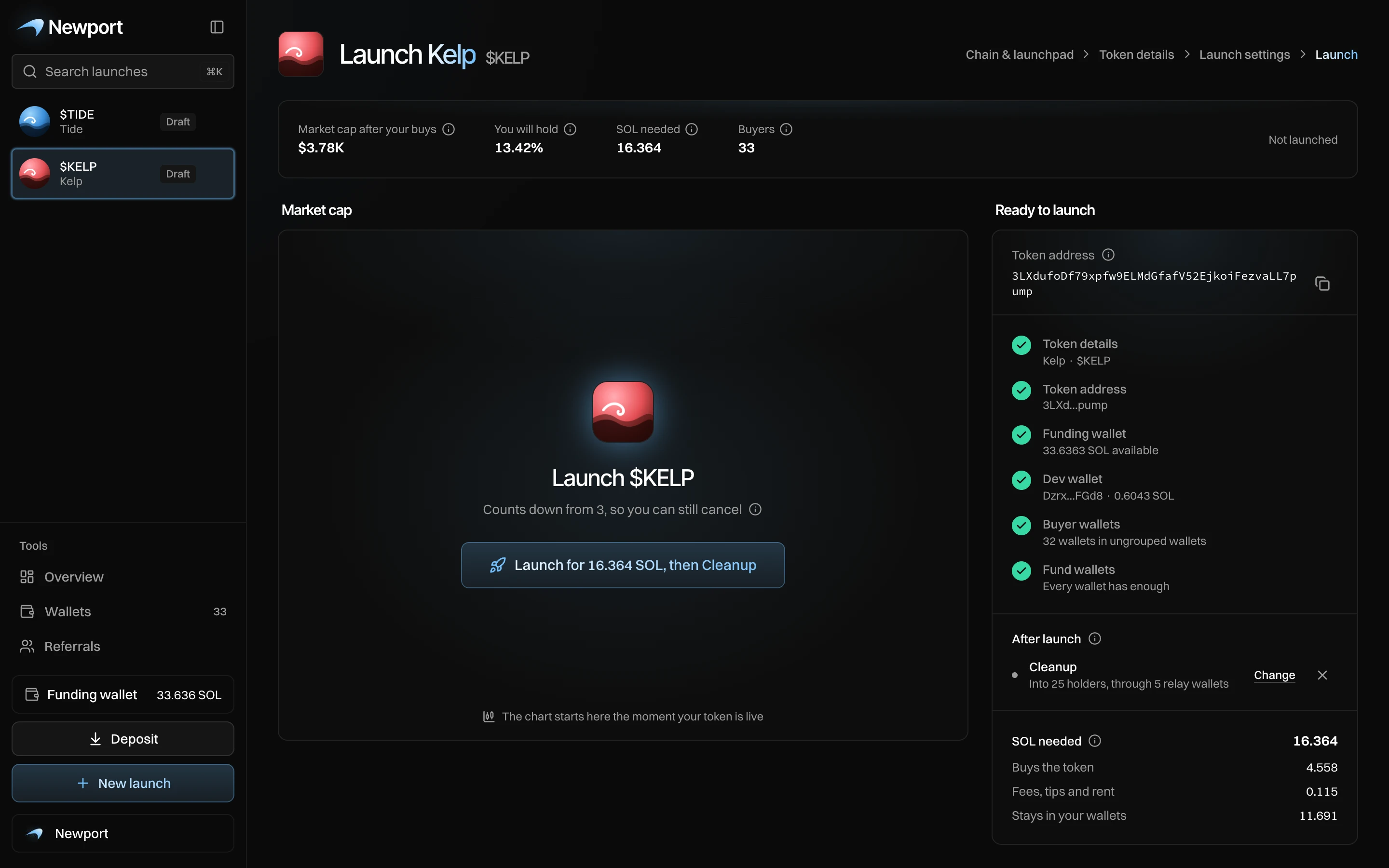
Before you press Launch
- At the top: Market cap after your buys, You will hold, SOL needed and Buyers (every wallet that buys, the dev wallet included).
- On the right: the token address, the checks, what runs after launch (Change or ✕ to remove), and SOL needed.
- Under it: every wallet with its role, its SOL and what it will buy.
Press Launch
Press Launch for … SOL (the button also names what runs after, for example "then Cleanup"). A countdown runs from 3, with Cancel (or Escape) to stop. Then:
- Preparing your token, Setting up your launch, Going live.
- "On its way. It can't be stopped now." The token is created, with your dev buy in the same transaction.
- Your Block-0 bundle lands in the same block, then more bundles, then the holder buys. Each shows "… landed" or "… did not land".
- "$X is live". Cleanup and your After launch plan start on their own: "Cleanup is running", "Standard is running".
- "Launch done: n of m buys landed".
The launch view becomes the live page.
Once it says "It can't be stopped now", the token exists. Your buys go out as planned.
If a launch stops
| What you see | What it means | What to do |
|---|---|---|
| Launch stopped. No token was created. | Something failed before the token existed. Nothing was spent on it. | Read the reason, fix it in Launch settings, and launch again. |
| More bundles did not land | Those wallets did not buy. Their SOL is still in them. | Buy from the trade panel, or withdraw it. |
| Cleanup did not start. Your tokens stay in the Block-0 wallets. | Nothing moved. | Sell from the live page. |
| Standard did not start: … Add it from Strategies. | Your After launch plan did not start. | Add it from Strategies. |
| Something went wrong after launch. Check your wallets. | The token is live, but a later step failed. | Check your wallets on the live page; ask us on Telegram. |