Launch
Wallets for a launch
Choose the dev wallet and create the buyer wallets your launch needs.
Step 4 of Launch settings, Wallets, makes sure every buy has its own wallet: one dev wallet to create the token, and a buyer wallet for each other buy. Creating wallets is free; nothing is sent.
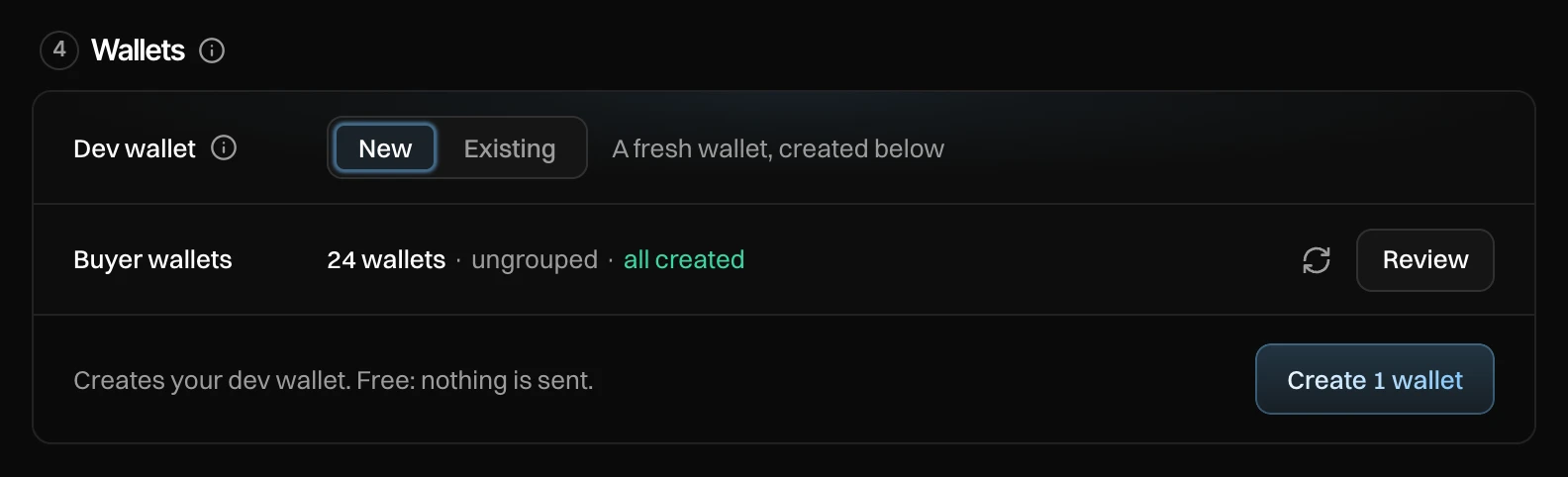
Pick the dev wallet
- New (default): a fresh wallet, created for this launch. It keeps your launches apart.
- Existing: pick a wallet you have. Past dev wallets are listed first, marked "Dev ×N".
Check the buyer wallets
The line shows how many buyer wallets the plan needs, from which group, how many are ready and how many are still to create. Press Review to see and change which wallet makes each buy.
Press Create N wallets
It creates your dev wallet (if new) and every missing buyer wallet. You see "✓ Created". Then go on to Funding.
Review
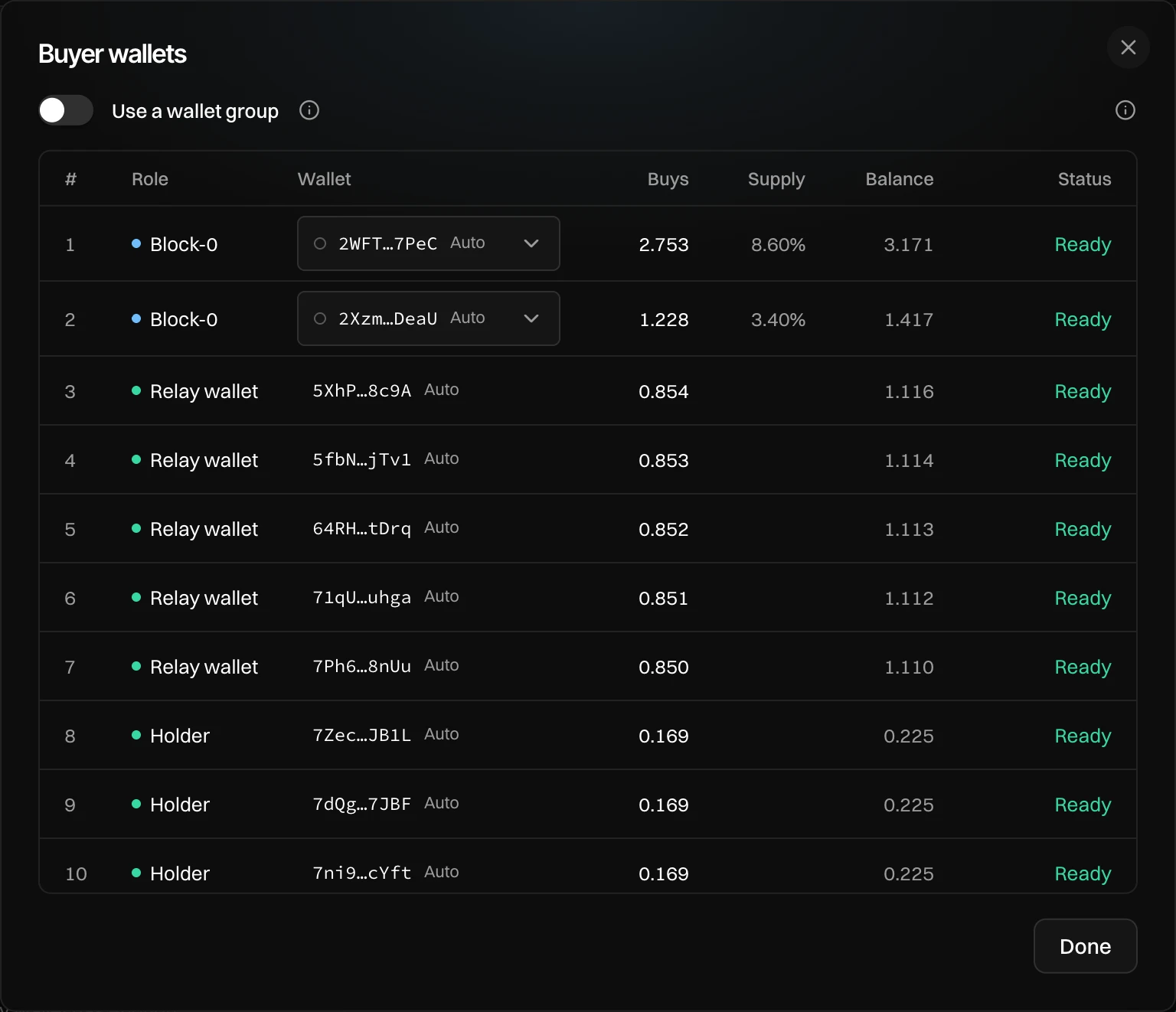
- Use a wallet group: off uses your ungrouped wallets; on uses one group's wallets. New group creates one.
- Each row is one buy: its Role (Block-0, Bundle n, Holder, Relay wallet, Temp holder), the Wallet (Auto or one you pick; picking a wallet another buy uses swaps them), what it buys, its share of supply, its balance and its Status (Not created, Needs x SOL, Ready).
- Back to automatic clears your picks. A picked wallet buys with its whole balance, less the SOL kept for selling.
- Cleanup's wallets are always automatic.
Press Done.