Live trading
Chart
Read the chart, change the timeframe, and see your own buys and sells on it.
The chart shows your token's market cap over time, with the volume under it. Your own trades show on it, so you see at a glance where your wallets bought and sold.
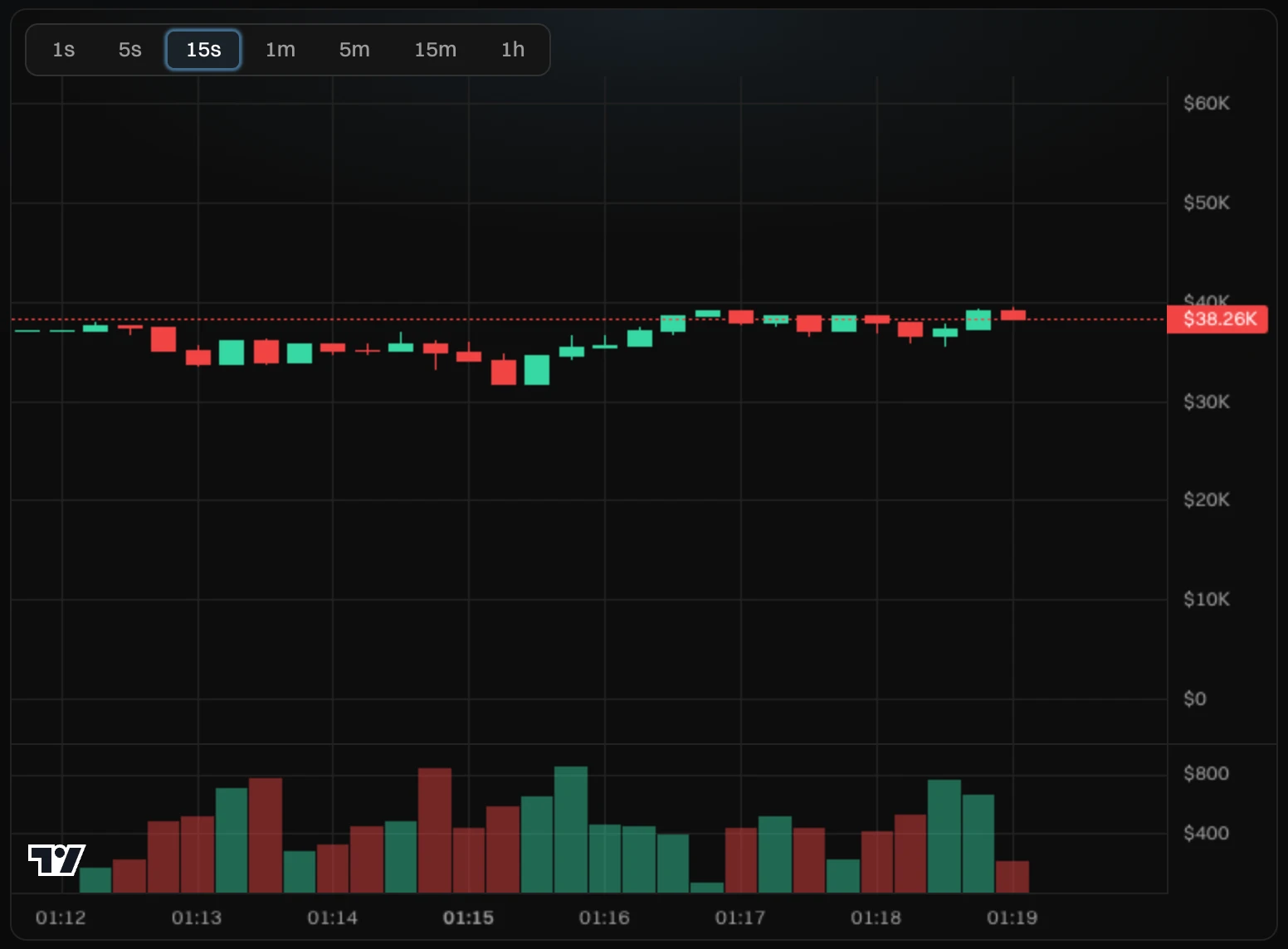
- The timeframe: how much time each candle covers.
- The candles. Each one shows the market cap at the start and the end of its time, and its highest and lowest.
- The market cap now, on the price scale.
- The volume traded in each candle.
Timeframes
Pick 1s, 5s, 15s, 1m, 5m, 15m or 1h. Short ones show the first minutes of a launch in detail. Long ones show the whole day. The chart keeps your zoom and position when you switch.
At launch, the chart opens on the first 2 minutes and fills from the left. While the market cap stays low, the scale shows at least $3K to $50K, so the first trades don't look bigger than they are.
Your trades on the chart
| Mark | What it means |
|---|---|
| Green arrow under a candle | Your wallets bought in that candle. |
| Red arrow over a candle | Your wallets sold in that candle. |
| A number next to the arrow | How many of your trades were in that candle. |
| Dashed line | A level of a Limit Order: "Sell 25%", "Buy 0.5 SOL" or "Stop loss". |
Move around
- Drag to move back in time. Scroll or pinch to zoom.
- Once you move the chart, it stays where you put it. Drag back to the newest candle, and it follows new candles again.
- On a phone, the chart takes your touches while your finger is on it, and the timeframes sit under it.