Launch
Token details
Add the name, ticker, image and links that traders see on pump.fun.
Token details is what traders see on pump.fun. The name, ticker and image are required; the rest is optional. The preview on the right shows about how your token looks there.
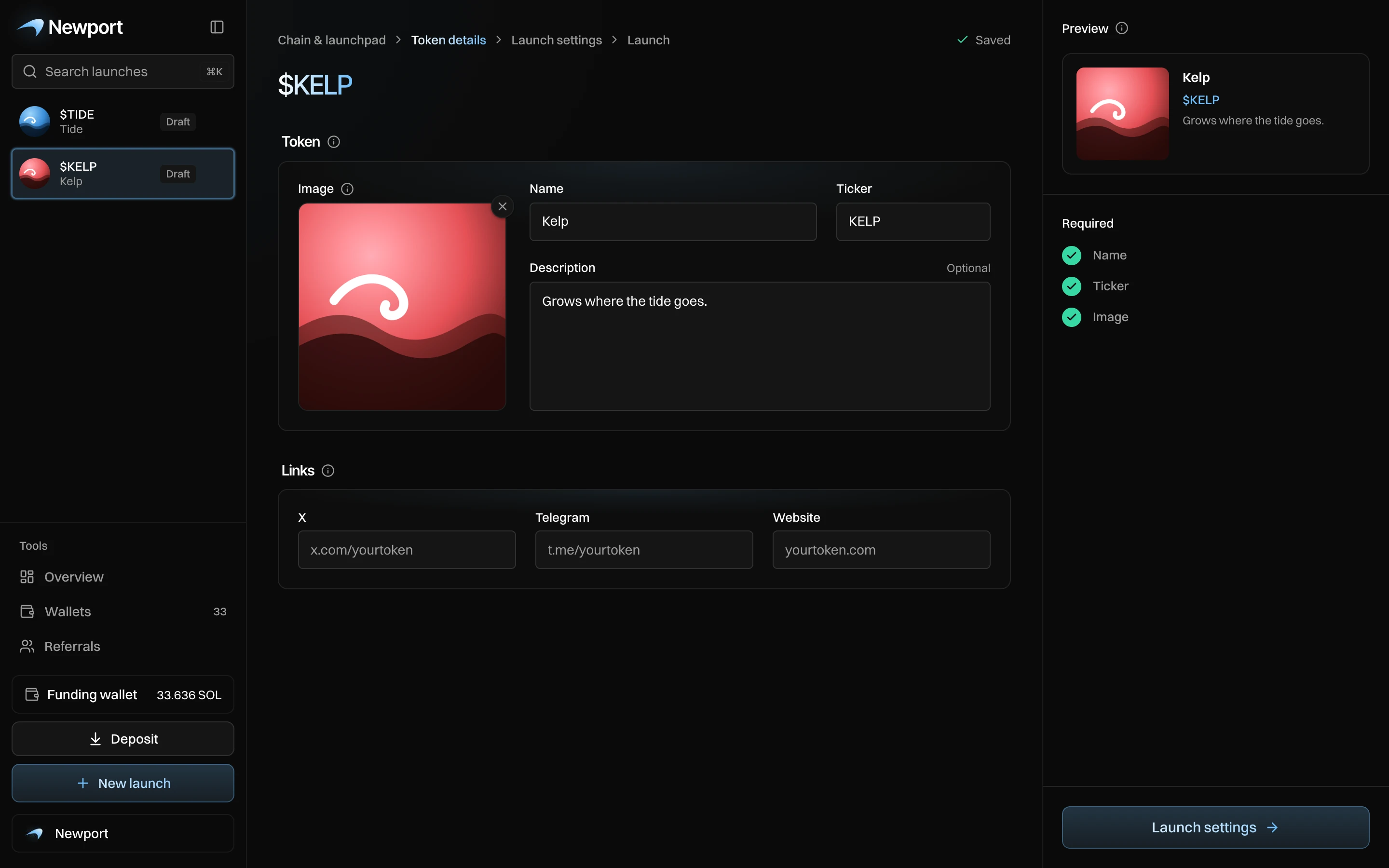
Token
| Field | Rules |
|---|---|
| Image | PNG, JPG, WebP or GIF. Click or drop a file. Square works best. |
| Name | Up to 32 characters. |
| Ticker | Up to 10 characters, in capitals. |
| Description | Optional. |
An image that is not square opens Position your image: drag it, and zoom with the − and + buttons or the slider, to pick the part traders see. Press Use image. A GIF is never cropped and can be up to 4 MB.
Links
X, Telegram and Website, all optional. They show on your token's pump.fun page.
Save
On a new launch, press Create token to save the draft and open Launch settings. On a draft, changes save as you go; press Launch settings to move on.
Messages you can see
| Message | What to do |
|---|---|
| Add a name, a ticker and an image | All three are needed before you can go on. |
| The name can be at most 32 characters | Shorten the name. |
| GIFs must be 4 MB or smaller. | Pick a smaller GIF. |
| That file is not an image | Pick a PNG, JPG, WebP or GIF. |
| The upload took too long | Try again, or pick a smaller image. |