Creator fees and Claim
Claim the creator fees your token earns, or let pump.fun pay them to holders.
Every trade of your token on pump.fun pays a creator fee of about 0.3%. Who earns it was chosen when you set up the launch, under Creator fees go to. If it is your dev wallet, you collect them with Claim on the live page.
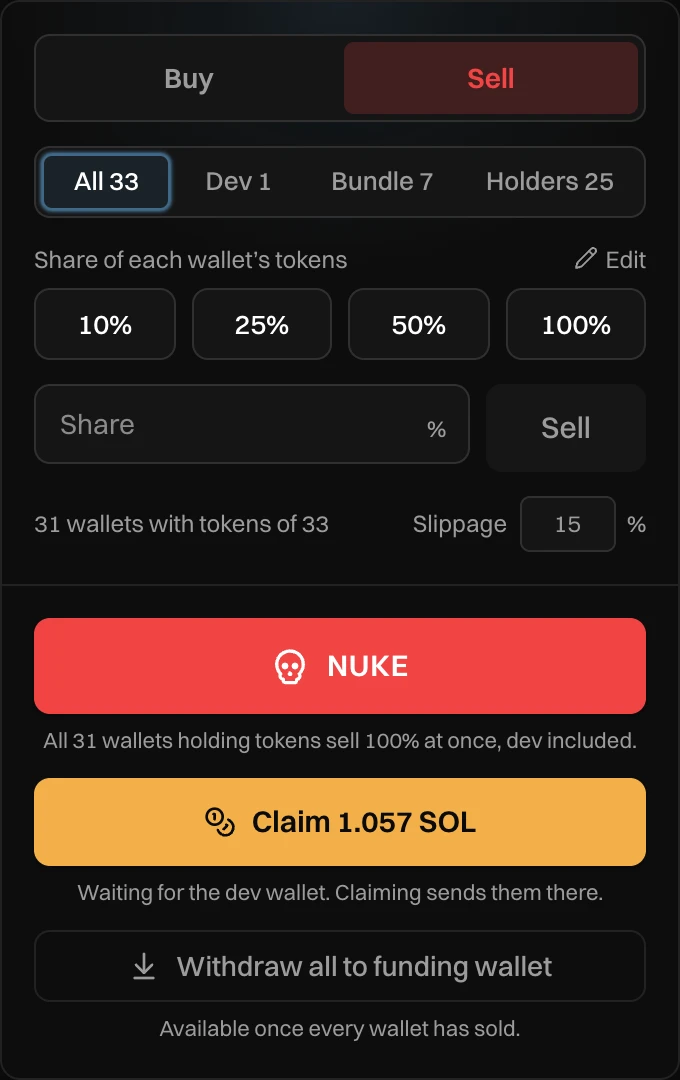
- Claim and the amount waiting.
- The line under it.
Claim your creator fees
Press Claim. The fees go to your dev wallet, and you see "Claimed 0.6629 SOL of creator fees". From there, Withdraw all brings them to your funding wallet with everything else. You don't have to claim first: Withdraw all claims them for you.
You can claim as often as you like. The button turns on once a claim brings in more than its network fee.
| The line under Claim | What it means |
|---|---|
| No creator fees yet. | Nobody has traded since the last claim. |
| Less than the network fee to claim, so far. | Claiming now would cost more than it brings. Wait for more trades. |
| Waiting for the dev wallet. Claiming sends them there. | Ready to claim. |
The amount on the button is before Newport's claim fee, which comes off inside the claim. See Fees. If your token trades against another launch currency, the claim swaps what it brings to SOL.
When holders get them
If you picked Holders, there is no Claim button. Under the Trade panel you see "pump.fun pays this token's creator fees to its holders." pump.fun pays everyone holding the token, automatically. That choice is permanent.
In your P&L
Creator fees count in your profit once they reach your dev wallet, after the claim fee. Hold the pointer over Realized or Total P&L on the live page to see them.
Messages you can see
| Message | What to do |
|---|---|
| Nothing to claim yet | Nothing was waiting. Try again after more trades. |
| Creator fees go to the wallet that created this token, which is not one of yours | Only the wallet that created the token can claim its creator fees. |