Launch settings at a glance
One screen plans every buy, every wallet and what happens after launch.
Launch settings is where you plan your launch: who buys and how much, what to do if snipers rush in, what happens after launch, which wallets buy and how they get their SOL. The summary on the right keeps a live count of what it all costs and what you end with.
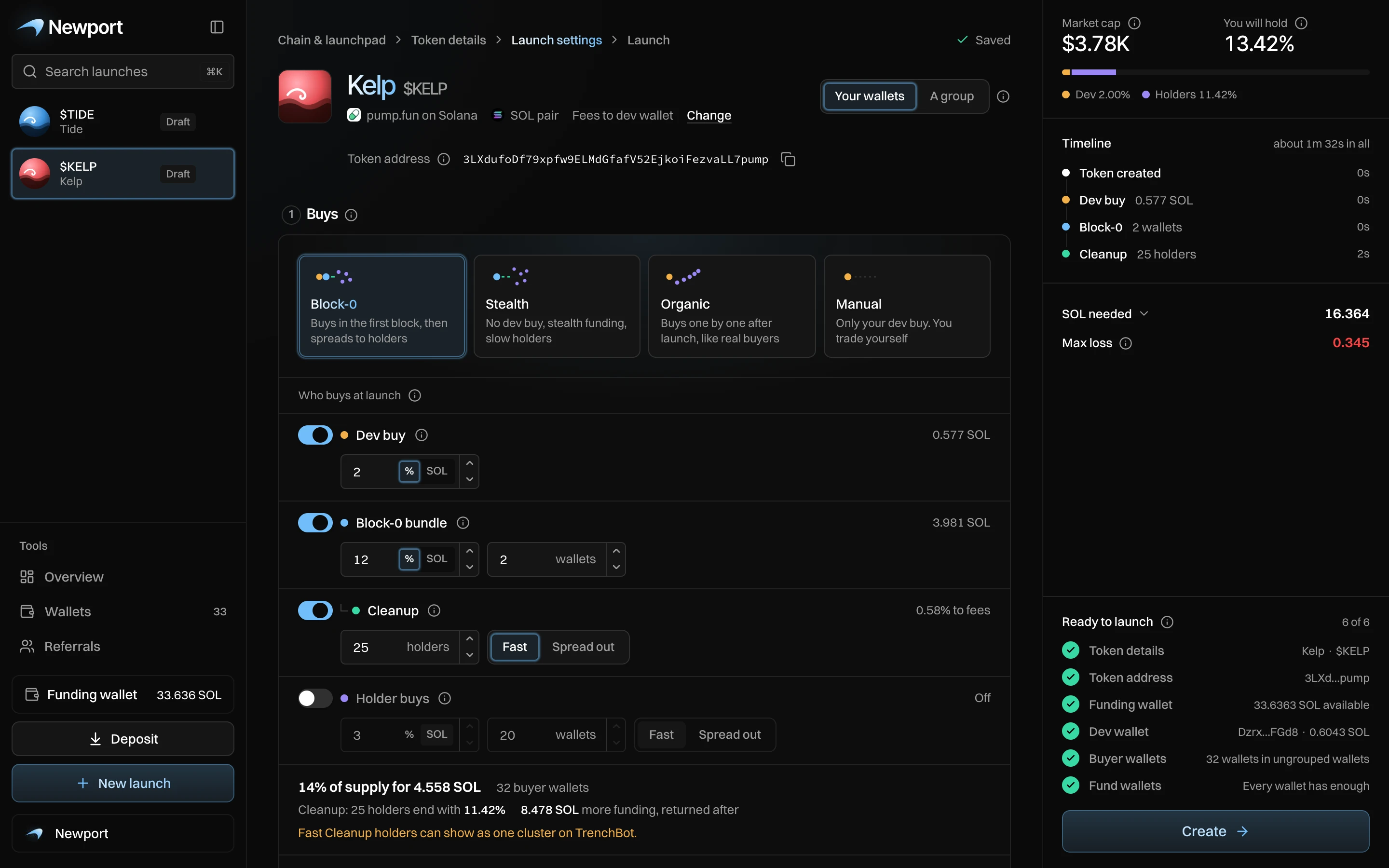
At the top
- Change: opens the first step, to change the launch currency or who earns creator fees.
- How this launch buys: Your wallets (you pay for every buy) or A group (friends pay in through a link and buy with you, see Open a group).
- Token address: Newport finds an address that ends in
pumpbefore launch. Keep it private until launch: anyone who has it can buy in your first block.
The five steps
| Step | What you set | Page |
|---|---|---|
| 1. Buys | A style, then the dev buy, the Block-0 bundle, Cleanup and the holder buys. | Launch styles, Who buys at launch, Cleanup |
| 2. Sniper Guard | What happens if outside buys reach your amount while your buys go out. | Sniper Guard |
| 3. After launch | A plan that sells on its own after your buys, or Nothing. | After launch |
| 4. Wallets | Your dev wallet and the buyer wallets. | Wallets for a launch |
| 5. Funding | Send SOL to those wallets, directly or stealthily. | Funding |
Under the steps, Advanced settings holds slippage, the bundle tip, Cleanup slippage and the SOL kept for selling. See Advanced settings.
A group launch shows only Buys, Wallets and Funding: the group's rules set the rest.
The summary
The summary shows the market cap after your buys, how much of the supply you will hold, a timeline, SOL needed, Max loss, and Ready to launch with six checks. When all six are done, press Create to open the launch view. Nothing is sent until you press Launch there. See The summary.