After launch
Pick a plan that starts selling on its own once your buys are done.
Step 3 of Launch settings, After launch, picks what sells for you once your buys (and Cleanup) are done. It runs on the server, even with the page closed, and you can stop it any time from the live page.
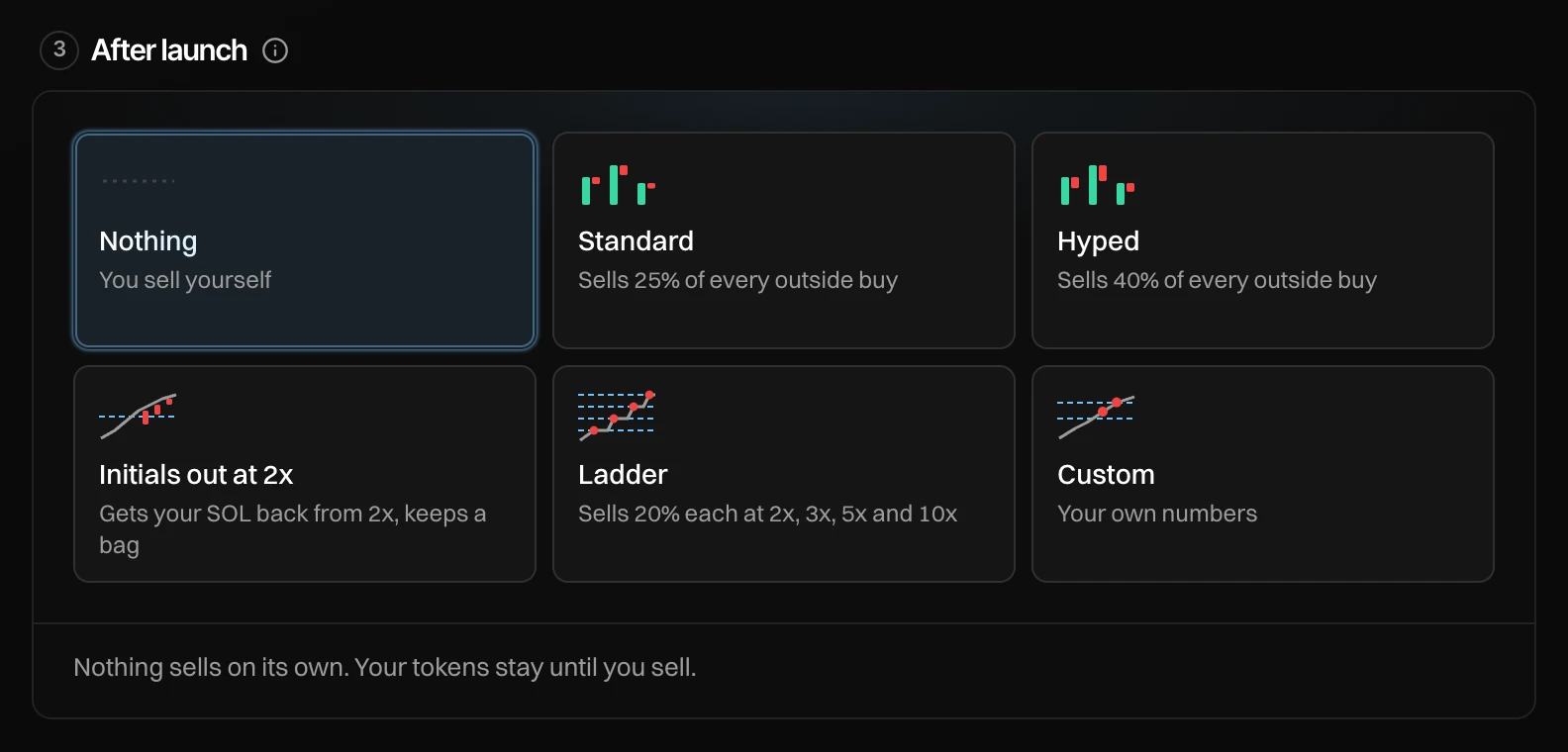
The plans
| Plan | What it does |
|---|---|
| Nothing (default) | Nothing sells on its own. Your tokens stay until you sell. |
| Standard | Sells 25% of every outside buy. |
| Hyped | Sells 40% of every outside buy (35 to 45%, a new share each time). |
| Initials out at 2x | From 2x your entry, sells 50% of every outside buy until your SOL is back, then 10%, to keep a bag. |
| Ladder | Sells 20% each at 2x, 3x, 5x and 10x your entry. |
| Custom | Your own numbers, in the strategy window. |
Under the cards, a line says what your pick does with your plan, for example "Standard: Sold out after about N SOL of buys, about X SOL back".
Selling into outside buys means the rest of each buy still lifts the price, so the chart keeps its shape while you take profit. The plans are Counter Trade and Limit Order with preset values.
Custom
Press Custom to open the strategy window in After launch mode: pick a kind (Counter Trade, DCA or Limit Order, selling only), set its values, and choose whose wallets it sells from (dev, bundle, holders). After Cleanup, the bundle's tokens sit with its holders. Nothing starts until launch. See Presets and advanced settings.
When the plans are not available
| Message | Why |
|---|---|
| Needs Block-0 or holder buys to sell from. | With only a dev buy there is nothing for a preset to sell. |
| On launches in SOL only. Add it from Strategies once live. | Custom needs a launch in SOL. |
Before and after launch
The launch view lists what runs after launch, with Change and ✕ to remove it. After launch, the plan shows under Strategies on the live page, with pause, edit and stop. If it could not start, you see why, and you can add it from Strategies.