Launch
Who buys at launch
Set the dev buy, the Block-0 bundle and the holder buys, and how much each one buys.
Under Who buys at launch, each kind of buy has its own row. Switch a row on or off, and set its size as a share of supply (%) or in SOL. Each buy uses its own wallet.
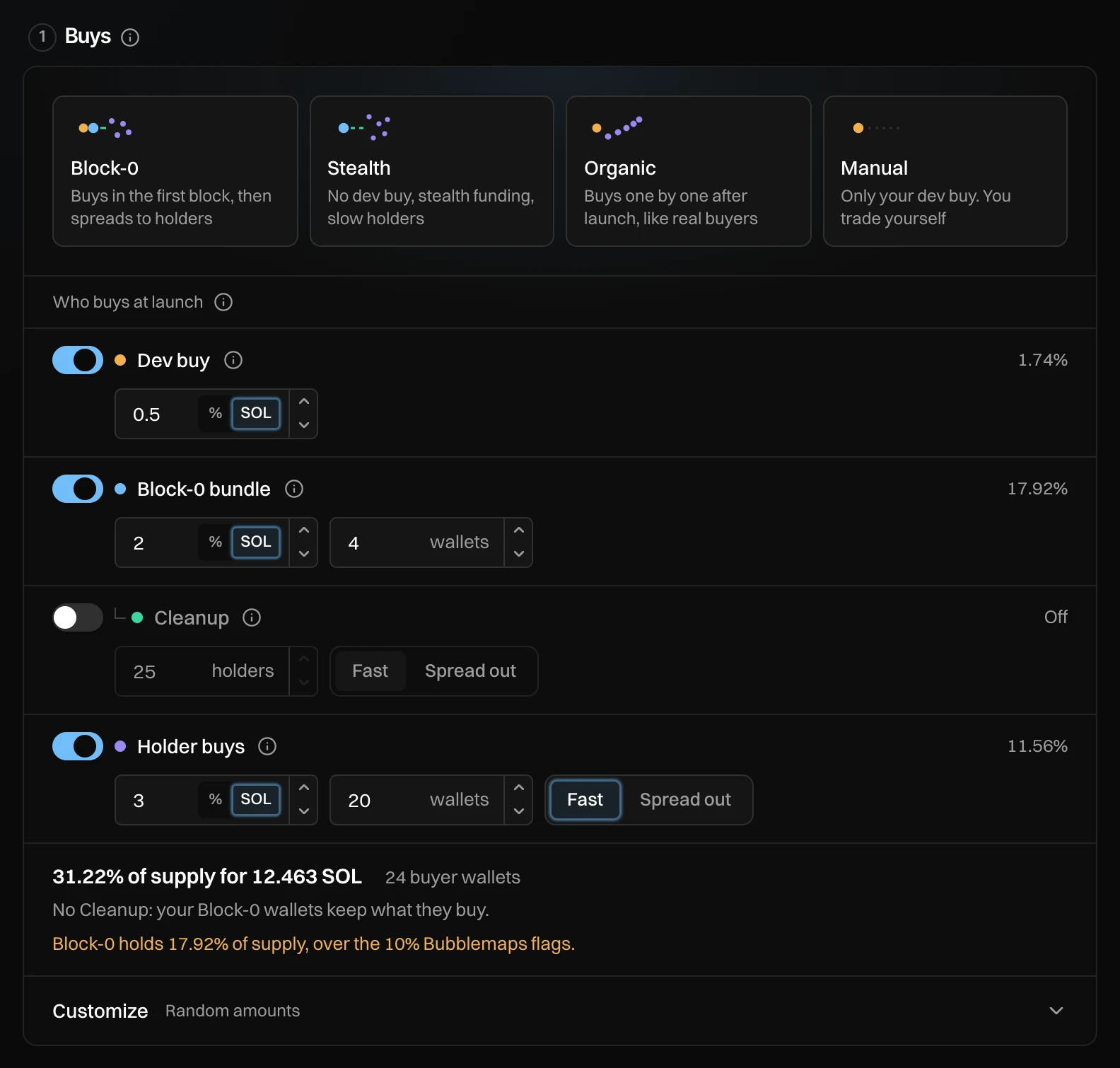
- Dev buy: your dev wallet buys first, in the same transaction that creates the token.
- Block-0 bundle: wallets that buy in the same block your token is created in, before anyone else can.
- Cleanup: after launch, moves the Block-0 tokens to fresh holder wallets. See Cleanup.
- Holder buys: fresh wallets that buy one at a time after launch.
- The totals: how much of the supply you buy, for how much SOL, with how many wallets.
The rows
| Row | Fields | Good to know |
|---|---|---|
| Dev buy | Amount | In SOL, at most 10 SOL by default. |
| Block-0 bundle | Amount, Block-0 wallets (1 to 20, at most 4 with Cleanup on) | A block fits a set number of wallets. If you pick more, the line says "Only N fit in that block. The rest follow a moment later." |
| Holder buys | Amount, Holder wallets (1 to 200), Fast or Spread out | Spread out looks more natural, but snipers can buy in between. |
The totals and warnings
Under the rows you see "x% of supply for y SOL · n buyer wallets", and what Cleanup changes. Newport warns you, but never stops you, when a plan crosses a line that traders' tools look for:
| Warning | Why it matters |
|---|---|
| Block-0 holds x% of supply, over the 10% Bubblemaps flags. | Bubblemaps marks large first-block holders. |
| The dev holds x% of supply, over the 5% most tools call healthy. | A big dev share puts buyers off. |
| N transactions land in the deploy block. Axiom flags 4 or more as a bundle. | Axiom marks the token as bundled. |
| Fast Cleanup holders can show as one cluster on TrenchBot. | Spread out makes them look less alike. |
If your buys add up to more than the whole bonding curve, you see "These buys add up to more than the whole bonding curve. Lower the totals."
Customize
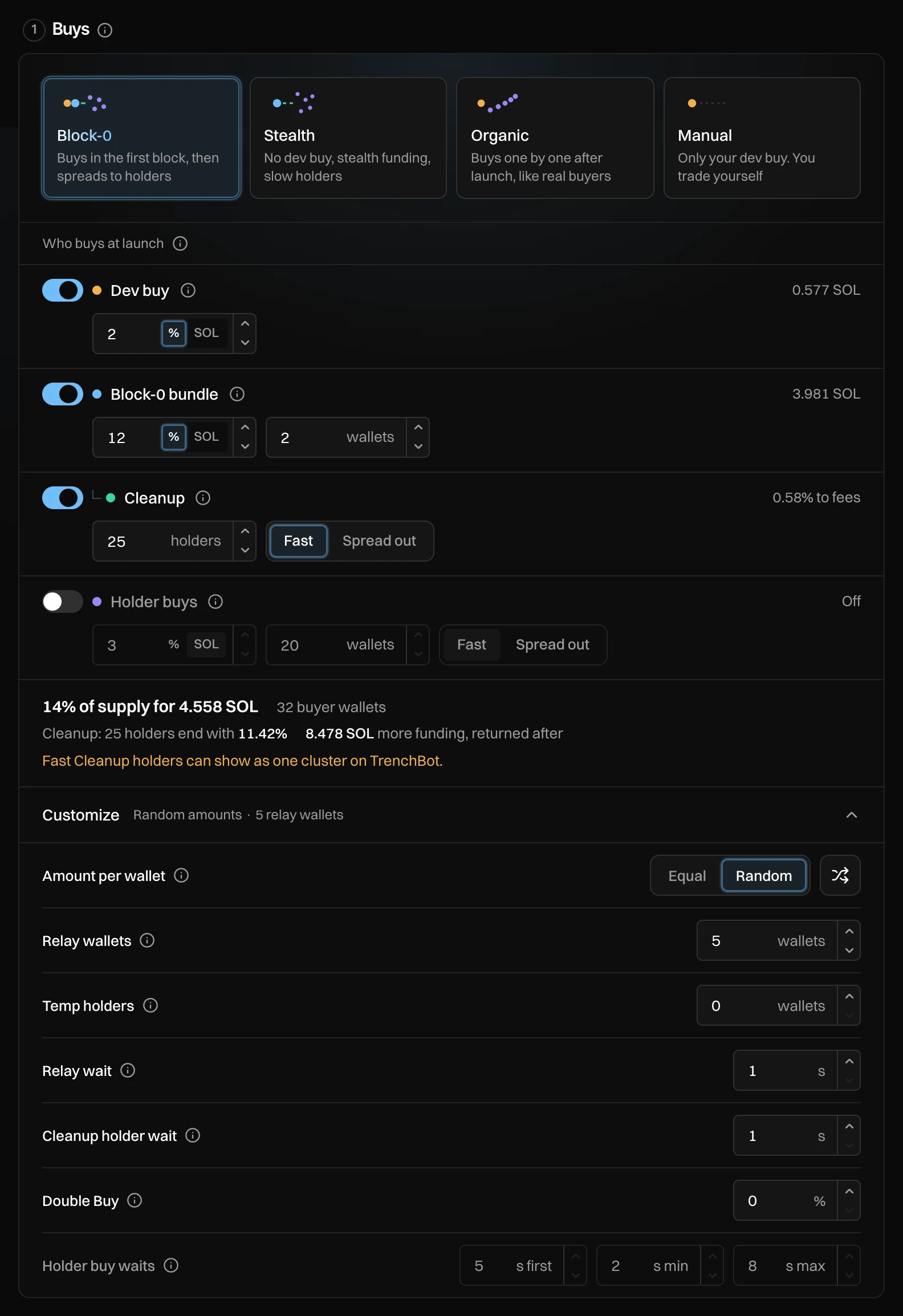
Customize, under the totals, holds the finer settings:
| Setting | What it does | Default |
|---|---|---|
| Amount per wallet | Equal, or Random so your wallets look less alike. 🔀 draws new random amounts. | Random |
| Relay wallets | Cleanup: take the tokens off your Block-0 wallets within seconds. 0 to 200. | 5 |
| Temp holders | Cleanup: one more stop before the holders. Harder to follow, about 2.5% more in fees. | 0 |
| Relay wait | Cleanup: seconds between moves into relay wallets and temp holders. 1 to 300. | 1 s |
| Cleanup holder wait | Cleanup: the wait between holder buys (Fast), or a random wait between the shortest and longest (Spread out). | 1 s, or 16 to 16 s |
| Double Buy | Cleanup: the chance a holder buy comes as two buys. 0 to 100%. | 0% |
| Holder buy waits | When the first holder buy goes, then a random wait between each. | Set by the style |
Messages you can see
| Message | What to do |
|---|---|
| Each wallet would buy under X SOL. Use fewer wallets or a bigger total. | Lower the number of wallets, or raise the amount. |
| The dev buy can be at most N SOL | Lower the dev buy. |
| Must be at least the shortest wait | Make the longest wait longer than the shortest. |