Set up in three steps
Create your funding wallet, add SOL to it, and start your first launch.
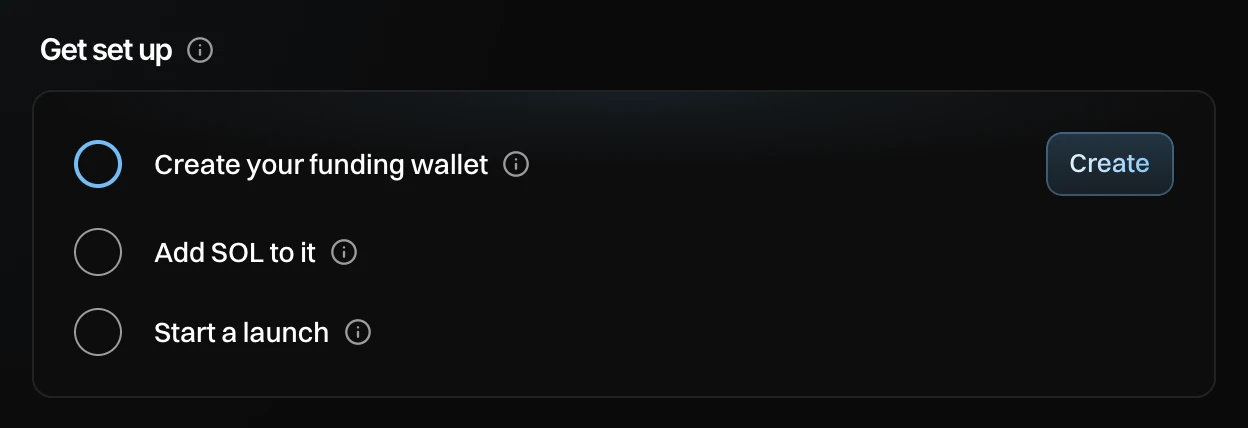
Before your first launch, Newport needs a wallet to pay for it and some SOL in that wallet. Overview lists the three steps under Get set up and ticks each one off as you go. The list goes away once all three are done.
Before you start
You need a Newport account. Newport is invite-only, see Get access.
Create your funding wallet
Press Create next to Create your funding wallet. It opens Wallets. Press Create funding wallet, then Create funding wallet again in the window that opens.
You see "Funding wallet created. Send SOL to it to get started."
Your funding wallet pays for your launches. It sends SOL to your dev wallet and your buyer wallets, and it never creates or buys a token itself. Each account has one. Its key is stored encrypted, and you can export it any time.
Add SOL to it
Press Deposit on the funding wallet card (or in the sidebar). Send SOL to the address shown, from any exchange or wallet. Press Copy address to copy it, or scan the QR code with your phone.
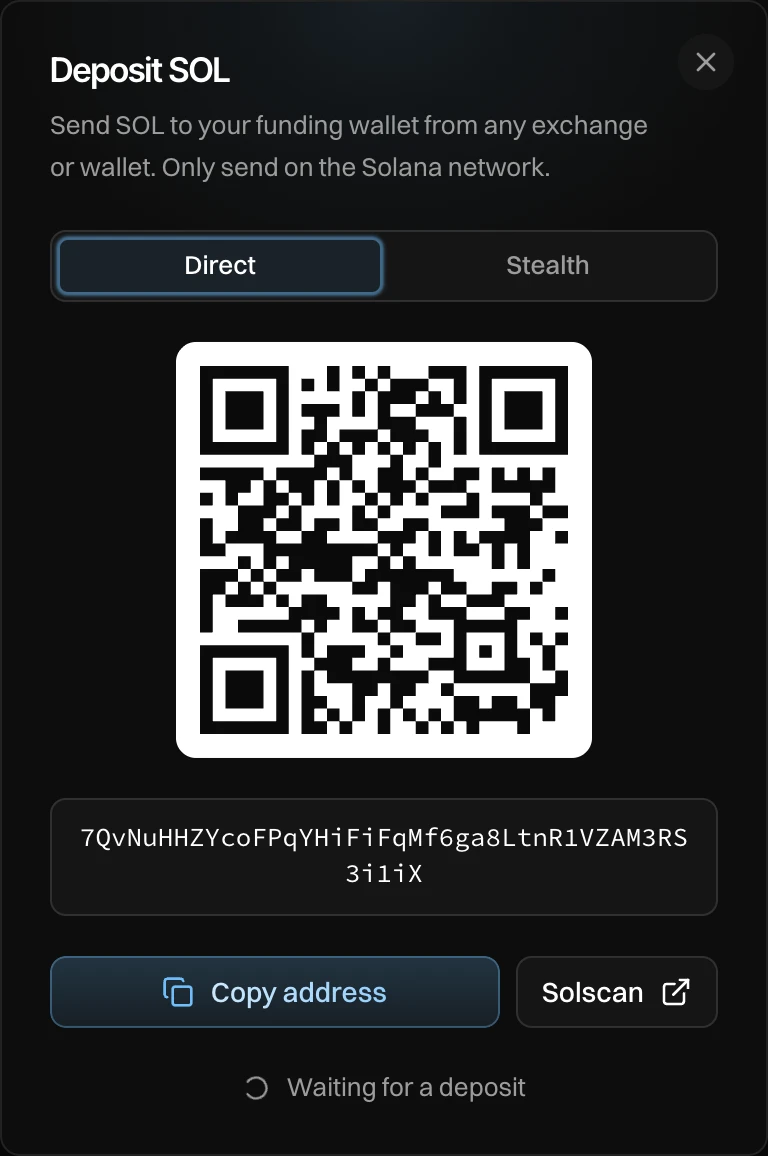
- The funding wallet's address, as a QR code and as text.
- Copy address copies it.
- While the window is open, it watches for your deposit. It changes to "Received 5 SOL" when your SOL lands.
Only send SOL on the Solana network. SOL sent on another network does not reach your funding wallet.
To pay in with USDC, USDT, ETH or BTC, or so that nothing links the SOL back to you, pick Stealth at the top of the window. See Stealth deposit.
Start a launch
Press New launch. You can start in three ways:
- Make a new token: fill in the steps in order.
- Import a token: copy the name, ticker, image and links of any pump.fun token, then change what you like.
- Clone a launch: start from the details and launch settings of a launch you made before.
See Start a launch.
How much SOL do I need?
It depends on your launch. You don't need to work it out yourself: the summary next to Launch settings shows SOL needed for your plan before anything is sent. What your wallets keep after the launch comes back to your funding wallet when you withdraw.
Common problems
| What you see | What to do |
|---|---|
| "Waiting for a deposit" does not change | Check that you sent to the right address, on the Solana network. Exchanges can take a few minutes to send. |
| The deposit landed, but the window was closed | Nothing is lost. The balance shows on the funding wallet card and in the sidebar. |
| Withdraw is grey | The funding wallet is empty. Add SOL first. |