Counter Trade
Sell a share of every outside buy, or buy back into sells.
Counter Trade answers other traders. Auto Sell Into Buys sells a share of every outside buy, so you take profit while the rest of each buy still lifts the price. Auto Buy Into Sells buys back a share of every outside sell, to soften dumps. Both ignore tiny trades, which are mostly bots.
How it trades
- Someone outside buys (or sells, for Auto Buy Into Sells) more than 0.1 SOL.
- The strategy waits a random 3 to 15 seconds, and skips the trade if that trader already sold back.
- It adds its share of that trade's SOL to what it owes. Once that reaches at least 0.02 SOL, it trades.
- A big trade goes out in slices, so no single trade moves the price more than 2%.
For example, with Standard (25%), an outside buy of 2 SOL makes your wallets sell about 0.5 SOL of tokens. The share is drawn at random between 20% and 30% each time, so it doesn't look like a bot.
Auto Sell Into Buys
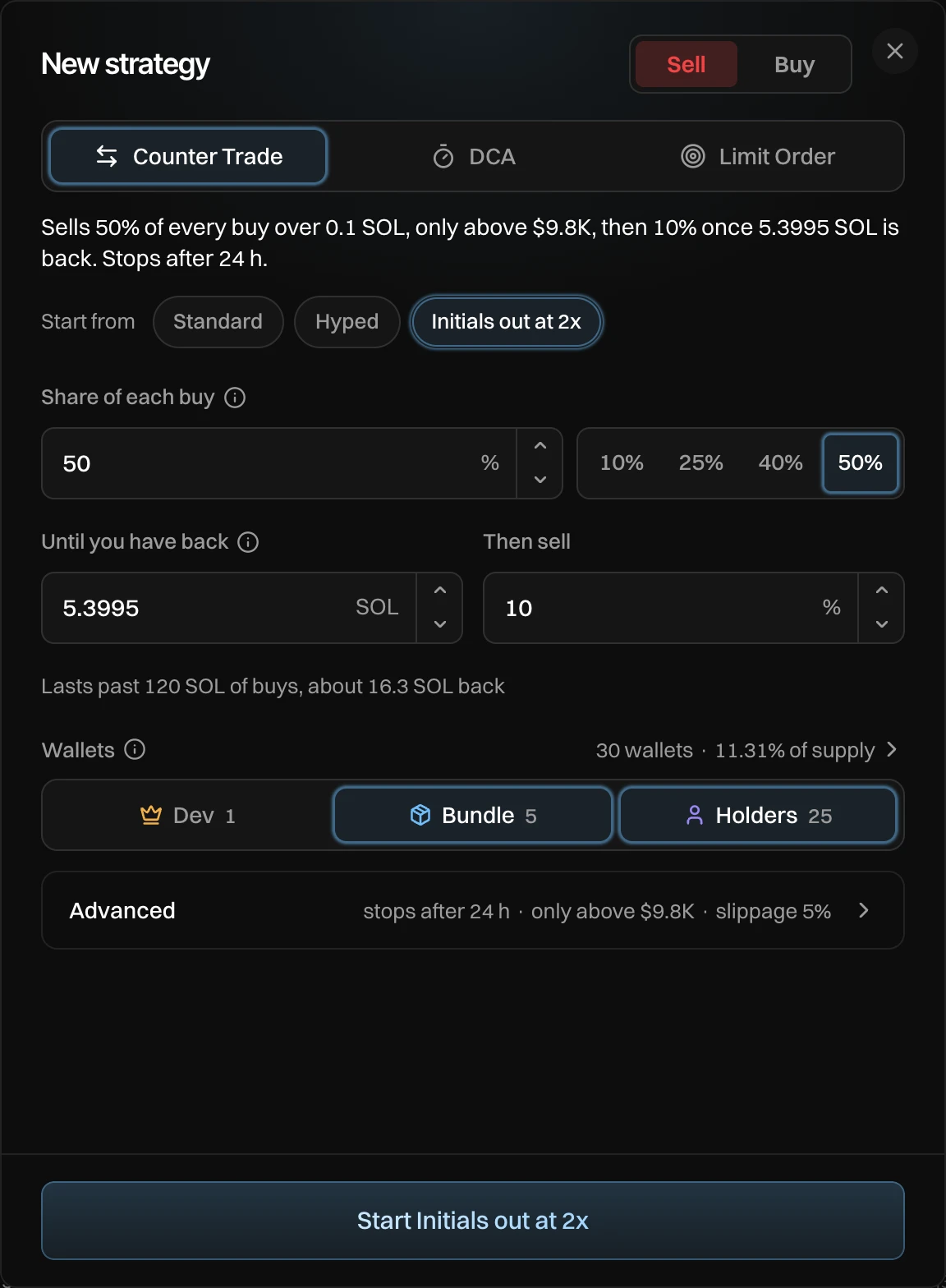
Press Add, keep Sell and Counter Trade. Pick a preset under Start from, or set Share of each buy: 10%, 25%, 40% or 50%, or type your own.
The line under it shows what that means on your token now, for example "Lasts past 120 SOL of buys, about 30 SOL back".
Initials out at 2x adds two fields: it sells 50% of each buy from twice your entry until you have your SOL back (Until you have back), then only 10% (Then sell), so you keep a bag.
Auto Buy Into Sells
Press Add, pick Buy and Counter Trade. Set Spend at most, the SOL it can spend in all, across every wallet: 0.5, 1, 2 or 5 SOL, or type your own. Then set Share of each sell.
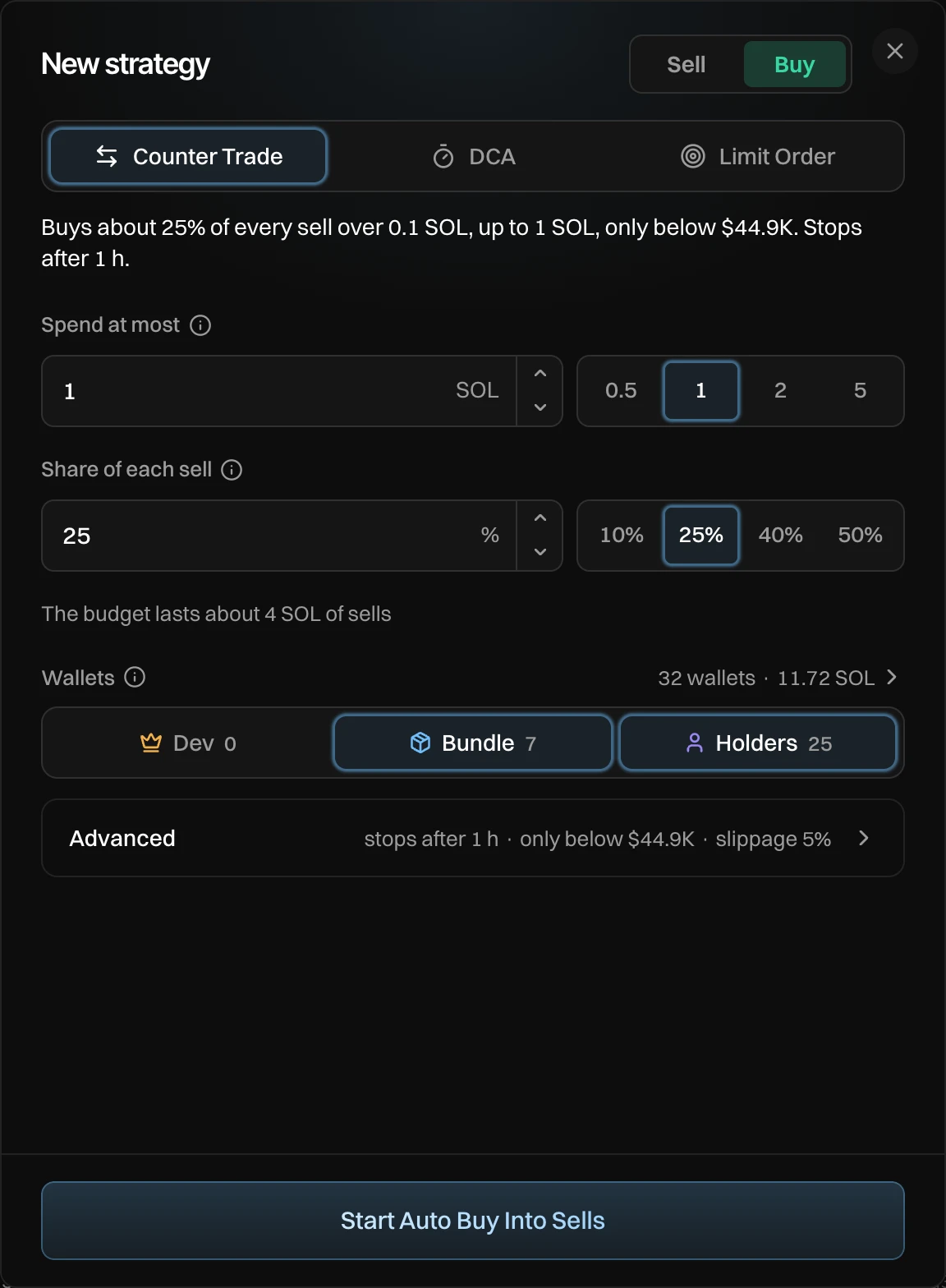
It buys only below the highest market cap so far, so it never chases a pump, and it stops after 1 hour. Change both under Advanced. Buys take turns across the wallets you pick.
Settings
| Setting | What it does | Sell default | Buy default |
|---|---|---|---|
| Share of each buy / sell | The share of each outside trade it answers. | 25% (20 to 30% at random) | 25% (20 to 30% at random) |
| Spend at most | The most it spends in all. | You set it | |
| Skip buys under / sells under | Smaller trades are ignored. | 0.1 SOL | 0.1 SOL |
| Smallest sell / buy | Smaller amounts wait and add up, so fees stay low. | 0.02 SOL | 0.02 SOL |
| Random wait | How long it waits after each trade. | 3 to 15 s | 3 to 15 s |
| Skip quick flips | Skips traders who already traded back. | On | On |
| Only above / Only below | Waits while the market cap is past this. | Off | The highest so far |
| Keep at least | A share of your tokens it never sells. | 0% | |
| Most price impact | Bigger trades are split. | 2% | 2% |
| Slippage | How far the price can move before a trade gives up. | 5% | 5% |
| Stops after | When it ends. | 24 h | 1 h |
Every setting is explained on Presets and advanced settings.
Your dev wallet is off by default for sells: trading terminals flag every dev sell. Turn Dev on under Wallets if you want it to sell too.
Messages you can see
| Message | What to do |
|---|---|
| Set how much SOL to spend | A buy needs Spend at most. |
| Pick a wallet that holds the token | Turn on a role under Wallets that holds tokens. |
| Pick a wallet with SOL | Turn on a role under Wallets that has SOL. |